About Screen Mirroring in smart view
📺 Free Screen Mirroring App 📺 - the best tools to screen share from your phone to all connect TV in smart view. Easy to enjoy the bigger screen with Screen Mirroring App, miracast for android to TV. Support multiple TV...
📺
Free Screen Mirroring App 📺 - the best tools to screen share from your phone to all connect TV in smart view. Easy to enjoy the bigger screen with Screen Mirroring App, miracast for android to TV. Support
multiple TV brands stably in real-time.💯
🌈
Key Feature: 🌈
📌
Free Screen Mirroring - Stably & Fast connection, set up & control easily
📌
Bigger Screen Share in smart view app - Achieve screencast via wireless display
📌
Screen Share in real-time - Screen mirroring on smart TVs/DLNA & Airplay devices/Google Chromecast etc.
📌
HD Screen Mirroring - Anycast screen sharing Youtube video, Gaming, Twitch, Facebook, Ustream
📌
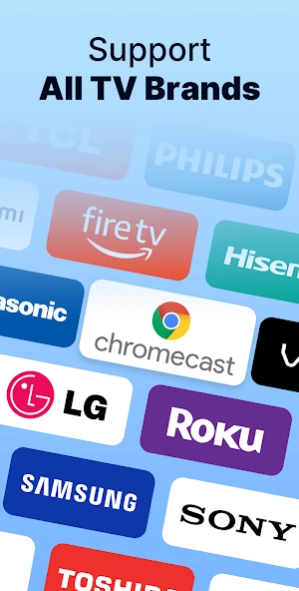
Multiple Devices Supported - Screen mirroring Samsung, LG, Panasonic, TCL, Phillips, Sony, Sharp, and many others
📌
Mirrorlink - Cast local videos & pictures & music, support all media in LG, Panasonic, Phillips, Sony, Samsung smart view
📌
Anyview cast - Slideshow files on the meeting
Easily Set-up & How to Use:
🔹Make sure your TV and phone/tablet are connected to the same Wi-Fi network;
🔹Turn on "Miracast Display" function on the TV & "Wireless Display" option on the phone;
🔹Click "Select TV" button and choose your TV;
🔹Screen mirroring mobile screen cast to TV!
💢Have you ever bothered by the small screen size of your phone? It's time to improving your viewing experience, start from this screen mirroring. With elegant & clean user interface, to control your screen in a different easy way.
👀Don't hesitate, come and download now! Aim to be the one and only screen mirroring app in your smart phone,
screen share freely in smart view . Free & Good to use, join us now!✨
Disclaimer:
This Screen Mirroring for All TV App - Cast Screen to Android TV is NOT affiliated with or endorsed by any brand of these businesses, it is an unofficial product.
Screen Share App requires your smartphone/tablet and your TV are connected to the same WIFI network. Please remember that Screen Mirroring using wifi. You should know that Wi-Fi CERTIFIED Miracast addresses this issue by allowing users to easily stream content wirelessly between devices.
Smart Share App supported Smart TVs with DLNA built-in. You need to enable TV's Miracast Display & phone's Wireless Display.
Previous Versions
Here you can find the changelog of Screen Mirroring in smart view since it was posted on our website on 2020-10-23 22:31:46.
The latest version is 3.5.6 and it was updated on 2026-10-12 21:47:34. See below the changes in each version.
Screen Mirroring in smart view version 3.5.6
Updated At: 2026-09-08
Changes: 1. Improved screen mirror display performance for a smoother viewing experience
Screen Mirroring in smart view version 3.5.5
Updated At: 2026-09-08
Changes: 1. Improved screen mirror stability
2. Optimized connection experience
Screen Mirroring in smart view version 3.5.4
Updated At: 2026-08-20
Changes: 1. Faster loading times, more stable performance
Screen Mirroring in smart view version 3.5.3
Updated At: 2026-07-03
Changes: 1.Subscription experience improvements
2.Ad experience improvements
3.Compatibility and performance enhancements
Screen Mirroring in smart view version 3.5.1
Updated At: 2026-06-14
Changes: 🔥 Enhanced Mirroring Performance: Faster connections and smoother casting for your favorite content.
📺 Expanded Device Support: Now compatible with more smart TVs and devices!
⚙️ Quick Connect Setup: Pairing your phone with your TV has never been easier.
📲 New Media Casting Options: Effortlessly share photos, videos, and music on the big screen.
Screen Mirroring in smart view version 3.1
Updated At: 2024-12-02
Changes: 1. Fixed bugs
2. Improved user experience
Screen Mirroring in smart view version 1.8
Updated At: 2023-04-24
Disclaimer
Official Google Play Link
We do not host Screen Mirroring in smart view on our servers. We did not scan it for viruses, adware, spyware or other type of malware. This app is hosted by Google and passed their terms and conditions to be listed there. We recommend caution when installing it.
The Google Play link for Screen Mirroring in smart view is provided to you by apps112.com without any warranties, representations or guarantees of any kind, so access it at your own risk.
If you have questions regarding this particular app contact the publisher directly. For questions about the functionalities of apps112.com contact us.